NotebookLM vs ChatGPT for Studying PDFs: Which One Should You Use?
I ran the same source through NotebookLM and ChatGPT. Here is where each tool helped, where the output got messy, and the workflow I kept.
The two-minute answer
I use NotebookLM at the beginning of the job and ChatGPT near the end.
NotebookLM is the better place to map a PDF, check what the document says, and keep a source cue next to an important claim. ChatGPT is better once the notes are already clean and I want questions, alternate explanations, or a repair plan for the answers I missed.
That split is more useful than picking a winner. Neither tool gets final authority. The PDF does.
Tested with
| Field | Value |
|---|---|
| Test source | 1 synthetic PDF-style study handout |
| Prompt | 1 same-source study prompt |
| Runs | 1 NotebookLM run + 1 ChatGPT run |
| Evidence | Screenshots, raw outputs, scoring sheet, unsupported-claims log |
| Last checked | 2026-07-09 |
The run I actually did
I used one same-source study handout and asked both tools for the same study output: a one-page guide, quiz questions, confusing concepts, and a short review plan. The test was intentionally small because the goal was not a benchmark leaderboard. The goal was to find a workflow a student can repeat without losing the source trail.
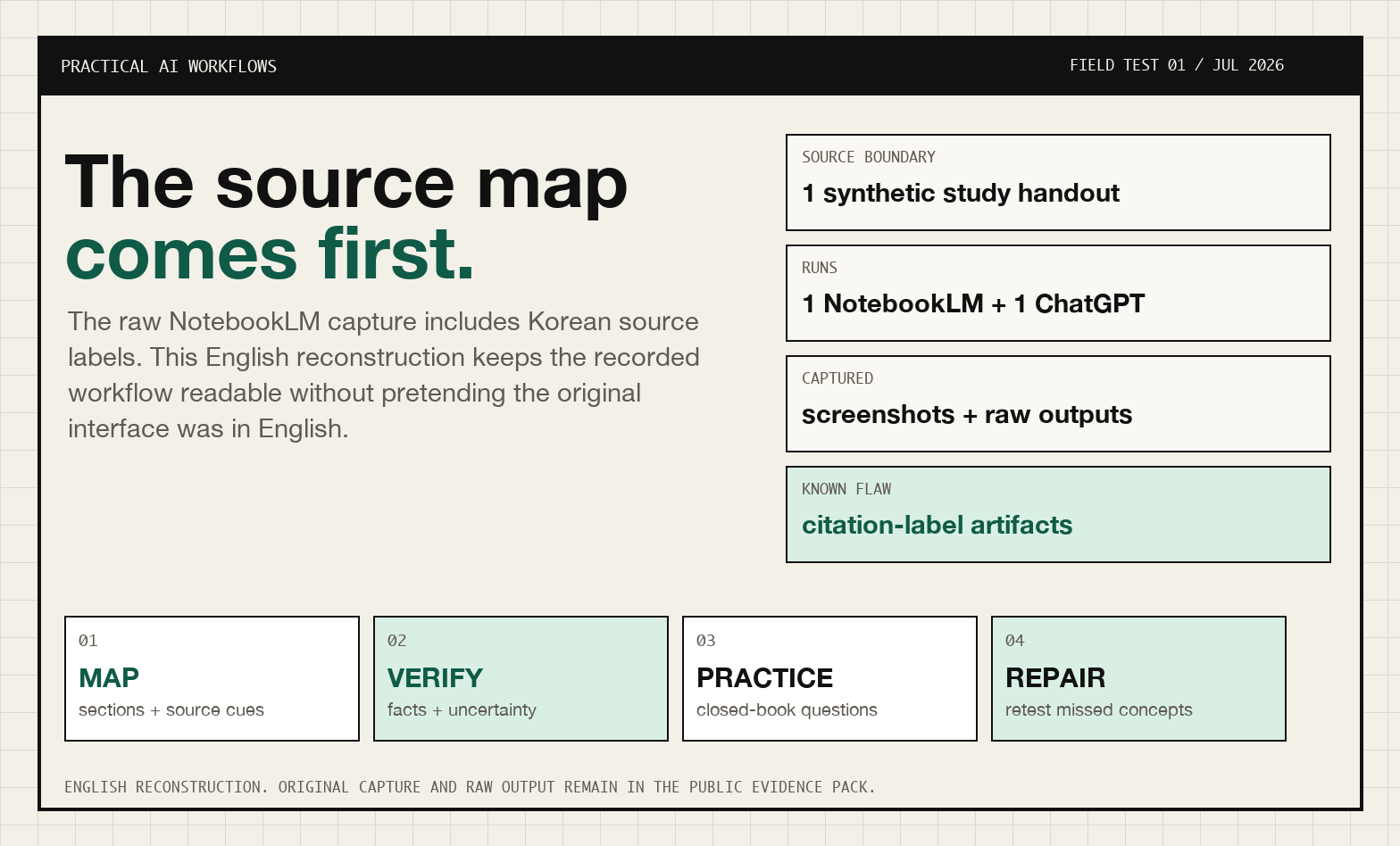
The original NotebookLM capture is in the public evidence pack. I replaced it on the article page because the Korean UI and citation labels made the workflow hard to scan for an English-speaking reader.
What broke in the test
The NotebookLM export was not clean. It repeated headings and inserted Korean source labels into otherwise English output. ChatGPT produced a smoother packet, but smooth prose is exactly what makes unsupported material easy to miss.
I did not clean those flaws out of the raw files. They are part of the result. The practical lesson was to compare workflow behavior, not screenshot polish.
The useful result was not “NotebookLM wins” or “ChatGPT wins.” The useful result was this split:
| Workflow stage | Safer default | Why it matters |
|---|---|---|
| Build first notes | NotebookLM | The PDF/source stays visible in the workflow. |
| Check what the document actually says | NotebookLM + original PDF | Source cues make verification less annoying. |
| Turn verified notes into practice | ChatGPT | It is better at quiz formats, explanations, and review plans. |
| Trust an answer key | Neither by itself | Check the source before using it for graded work. |
Failure case to watch for
The risky failure is subtle: the AI does not have to invent a wild fact to hurt your studying. It only has to produce a clean explanation that is *one step away* from the PDF. That is why the workflow starts with a source map and ends with retrieval practice, not a summary.
Use this quick check before trusting any answer:
- Can I point to the PDF section that supports this claim?
- Is this a source fact, a simplified explanation, or a generated example?
- Would I use this exact answer on an exam or in a citation?
- If not, what wording is safer?
Where each tool earned its keep
| Use case | Better choice | Why |
|---|---|---|
| Checking whether a point comes from the PDF | NotebookLM | It is designed around uploaded sources and visible citation/source affordances. |
| Building first-pass PDF notes | NotebookLM | The source-first workflow makes it easier to stay anchored to the document. |
| Explaining a confusing concept in simpler language | ChatGPT | It is usually better for rephrasing, examples, and iterative tutoring prompts. |
| Making quiz questions | ChatGPT | It is stronger when you want varied question styles, difficulty levels, and answer-key formats. |
| Creating a three-day review plan | ChatGPT | It can turn notes into a practical schedule and revise it around your exam date. |
| Reducing hallucination risk | NotebookLM first, then manual checking | Citations help, but you still need to verify claims against the source. |
| Studying a dense academic PDF | Both | Start source-grounded, then use ChatGPT for explanation and retrieval practice. |
| Studying a short class handout | Either, with verification | In a small same-source test, both tools produced useful study materials. |
What I use now
If you only have time for one tool, choose based on the job:
- Choose NotebookLM if your main fear is losing track of what the PDF actually says.
- Choose ChatGPT if your main need is turning material into explanations, practice questions, and a study plan.
- Use both if the PDF is important enough that accuracy and study quality both matter.
For most students, the strongest setup is:
- NotebookLM for source-grounded extraction.
- ChatGPT for learning design.
- Manual verification for anything that affects an exam answer, citation, grade, or professional decision.
The workflow I kept
Step 1: Put the PDF into NotebookLM first
Upload the PDF to NotebookLM and ask for a study guide that uses only the source.
Use this prompt:
Use only the provided source. Do not add outside facts.

Create a one-page study guide with:
1. Key concepts
2. Definitions
3. Important contrasts
4. Likely exam traps
5. A short review checklist

If the source does not support a claim, write: Not in source.
Then read the citations or source references for the most important claims. Do not just copy the answer into your notes.
Step 2: Ask NotebookLM for the concepts most likely to be confused
This is where source grounding matters. Ask:
Based only on the source, what concepts are students most likely to confuse?
For each one, quote or cite the part of the source that supports your answer.
If the source only supports one confusion, list only one.
That last line matters. It discourages the tool from inventing a full list just because you asked for one.
Step 3: Move the source-grounded notes into ChatGPT
Do not ask ChatGPT to start from memory. Paste the NotebookLM notes and, if allowed, the relevant PDF excerpt.
Use this prompt:
Use the notes below as the source of truth.

Turn them into:
1. A simple explanation for a beginner
2. 10 quiz questions
3. An answer key
4. Three application questions
5. A three-day review plan

Mark anything that is not supported by the notes as: Check source.
ChatGPT is useful here because you can keep iterating:
- "Make the quiz harder."
- "Turn these into multiple-choice questions."
- "Hide the answer key until the end."
- "Make a review plan for an exam in five days."
- "Explain question 7 without giving away the answer."
Step 4: Verify risky claims against the PDF
Before you trust the final study guide, check:
- Definitions.
- Cause-and-effect claims.
- Dates, numbers, formulas, and names.
- Anything the tool explains with an example that was not in the PDF.
- Any answer key item you would use for graded work.
If a claim is not clearly supported, rewrite it or remove it.
Step 5: Turn weak spots into retrieval practice
Do not stop with a summary. A better study session ends with active recall.
Ask ChatGPT:
Based on the verified notes, create a review plan that uses retrieval practice.
Day 1 should focus on recall.
Day 2 should mix recall and application.
Day 3 should retest missed questions and repair weak concepts.
Then actually answer the questions without looking at the notes. The AI output is only useful if it changes how you study.
How to avoid hallucinations and source drift
The common mistake is treating a fluent answer as a verified answer. For studying PDFs, use a stricter rule: every important claim should be traceable to the document.
Use these safeguards:
- Put "Use only the provided source" in the prompt.
- Add "If the source does not support a claim, write: Not in source."
- Ask for citations, quotes, or source locations when using NotebookLM.
- Separate source-grounded notes from AI-generated explanations.
- Label examples as examples, not as source facts.
- Check answer keys before using them for practice.
- Keep a short "unsupported or needs checking" list.
NotebookLM can still make mistakes. ChatGPT can still make mistakes. The practical difference is that NotebookLM's source workflow makes checking easier, while ChatGPT's conversational workflow makes studying and revision easier.
Decision guide: which one should you open first?
If you are staring at a PDF and deciding where to begin, use this decision table.
| Situation | Open first | Reason |
|---|---|---|
| You must know what the document actually says | NotebookLM | The source-centered workspace makes verification easier. |
| You need citations or source cues while reading | NotebookLM | It is designed around uploaded sources and citation-style navigation. |
| You already have clean notes and need practice questions | ChatGPT | It is strong at transforming verified notes into retrieval practice. |
| You are confused by a concept and need several explanations | ChatGPT | The conversational tutoring loop is better for rephrasing. |
| The PDF is scanned, messy, or full of tables | Neither blindly | Check extraction quality first. |
| You are studying for a graded exam | Both, plus manual verification | Tool output is not the authority. |
| You want a reusable workflow | NotebookLM first, ChatGPT second | Source map first, learning design second. |
The wrong question is "which tool is smarter?" The useful question is "which failure mode is more dangerous for this task?" If the dangerous failure is losing the source trail, start with NotebookLM. If the dangerous failure is passive reading with no retrieval practice, bring in ChatGPT after the notes are verified.
What each tool did better in the test
In the captured same-source run, the difference was not dramatic in every category. Both tools produced usable material. The practical differences showed up in workflow fit.
NotebookLM was better for the first pass
NotebookLM felt better suited to the beginning of the session because the source remained visible as the object of work. That matters when the user is not only trying to understand the topic, but also trying to preserve where each claim came from.
The strongest NotebookLM use cases were:
- building a source map,
- keeping the uploaded material central,
- checking whether a claim appears to come from the source,
- creating a first-pass guide without immediately turning it into a generic explainer.
ChatGPT was better for the second pass
ChatGPT was more useful once the notes were already bounded. It was easier to ask for variants: harder questions, simpler explanations, a different review schedule, or a repair plan for missed answers.
The strongest ChatGPT use cases were:
- turning notes into active recall questions,
- creating multiple difficulty levels,
- explaining why a wrong answer is wrong,
- adapting a review plan around time available,
- rewriting dense notes into study-friendly language.
That is why the recommendation is a sequence, not a winner. NotebookLM reduces source drift early. ChatGPT increases study usefulness later.
Example workflow for a 60-page PDF
Here is a practical version for a medium-length PDF such as a chapter, policy report, course handout, or research explainer.
| Stage | Tool | Prompt goal | Output |
|---|---|---|---|
| 1 | NotebookLM | Map the document | Sections, terms, source cues |
| 2 | NotebookLM | Identify confusing concepts | Contrast table with source cues |
| 3 | NotebookLM + original PDF | Verify important claims | Keep / rewrite / remove list |
| 4 | ChatGPT | Turn verified notes into questions | Recall, application, answer key |
| 5 | ChatGPT | Repair missed answers | Mistake pattern and review plan |
| 6 | You | Final source check | Notes safe enough to use |
For a short handout, this might take 20 minutes. For a dense academic PDF, it might take longer. But the order stays the same: source first, explanation second, recall third, verification throughout.
Common bad workflows
| Bad workflow | Why it fails | Better version |
|---|---|---|
| ChatGPT summary first | It can create fluent notes before the source is checked. | Source map first, then summary. |
| NotebookLM answer copied directly into notes | Citations can become decoration instead of verification. | Open important source cues before copying. |
| Quiz generated from a summary | The quiz may test compressed or unsupported claims. | Generate from verified notes. |
| Answer key trusted without checking | Wrong practice trains wrong memory. | Audit answer key against the PDF. |
| One tool used for everything | Each tool's weakness gets amplified. | Split the workflow by job. |
The point is not to slow yourself down. The point is to avoid spending an hour studying a beautiful answer that quietly drifted from the source.
Scoring rubric you can reuse
If you want to compare tools on your own PDF, score the outputs like this:
| Category | 1 point | 2 points | 3 points |
|---|---|---|---|
| Source grounding | Claims are hard to trace. | Some claims have source cues. | Important claims are easy to trace. |
| Coverage | Misses major sections. | Covers most sections. | Covers all major sections without overclaiming. |
| Study usefulness | Mostly summary. | Includes some questions. | Includes recall, application, and review plan. |
| Uncertainty handling | No uncertainty list. | Some caveats. | Clear unsupported/check-source list. |
| Answer-key safety | No audit. | Partial audit. | Answers are checked or labeled. |
A perfect score is not required. What matters is seeing which tool fails in a way that is dangerous for your use case.
Prompt to compare both tools yourself
If you want to test your own PDF, use the same prompt in both tools:
Use only the provided source. Do not add outside facts.

Tasks:
1. Create a one-page study guide.
2. Create 10 quiz questions with answers hidden under an answer key.
3. Identify the three concepts a student is most likely to confuse.
4. Build a three-day review plan.
5. Explain the difference between recognition and recall in simple language.

If the source does not support a claim, write: Not in source.
After both tools answer, compare:
| Check | What to look for |
|---|---|
| Source grounding | Can you trace important claims back to the PDF? |
| Coverage | Did it include the PDF's main concepts, not just the easiest ones? |
| Quiz quality | Are questions testing recall, application, and distinctions? |
| Answer key accuracy | Do the answers match the source? |
| Refusal behavior | Did the tool say "Not in source" when the PDF did not support something? |
| Review plan | Does it include retrieval, spacing, and repair of missed concepts? |
Copy the workflow
Download the PDF Study Workflow Template
Use it as a checklist: source-grounded notes first, explanation second, quiz third, verification before trust.
What this is based on
This recommendation is based on one same-source test: one synthetic study handout, one shared prompt, and one captured run in each tool. The test used a short handout about attention, working memory, long-term memory, retrieval practice, spacing, recognition, recall, and a three-day review plan.
In that run, both NotebookLM and ChatGPT produced useful study guides, quizzes, weak-concept notes, and review plans. NotebookLM had the clearer edge for source-verification affordances. ChatGPT was competitive for student-facing explanation, quiz structure, and review planning.
This is not a broad benchmark. It is a practical workflow test. The background evidence archive is kept in the repository under automation-lab-archive/docs/day-13-notebooklm-evidence-pack-files/ for auditability; it includes the same-source prompt, raw output captures, screenshots, evaluation rubric, scoring sheet, and unsupported-claims log. The archive is not the main reader-facing asset.
Official product documentation also supports the workflow distinction: NotebookLM documentation describes source-grounded answers with citations, while OpenAI's file upload documentation describes ChatGPT support for document synthesis, transformation, and extraction.
Sources:
What this test does not prove
This article has important limits:
- The test used a single source.
- The source was a synthetic handout, not a real textbook chapter or research paper.
- The captured run used source-equivalent copied text because local file-picker automation was unreliable.
- The result comes from one run per tool.
- Tool behavior can change.
- No real student learning outcome, exam score, or retention result was measured.
The safe conclusion is not "NotebookLM always wins" or "ChatGPT always wins." The safe conclusion is that they are best at different parts of the same study workflow.
Continue with the audit columns
- Build a Source-to-Claim Map Before You Summarize a PDF
- How to Audit an AI-Generated Study Guide Against the Source
- Why AI Answer Keys Are the Riskiest Part of a Study Workflow
Bottom line
Use NotebookLM when you need source-grounded notes and easier source checking.
Use ChatGPT when you need explanations, quiz variation, answer keys, and a review plan.
For serious studying, use them together: NotebookLM first, ChatGPT second, and the original PDF as the final authority.